Skip to content
--:--:--

The manual

The whole desktop, piece by piece: what each thing is, what it does, and what to do when it stops working. Written from the repository, not from memory.
1

Getting started

install.shmulti-distrosingle pass
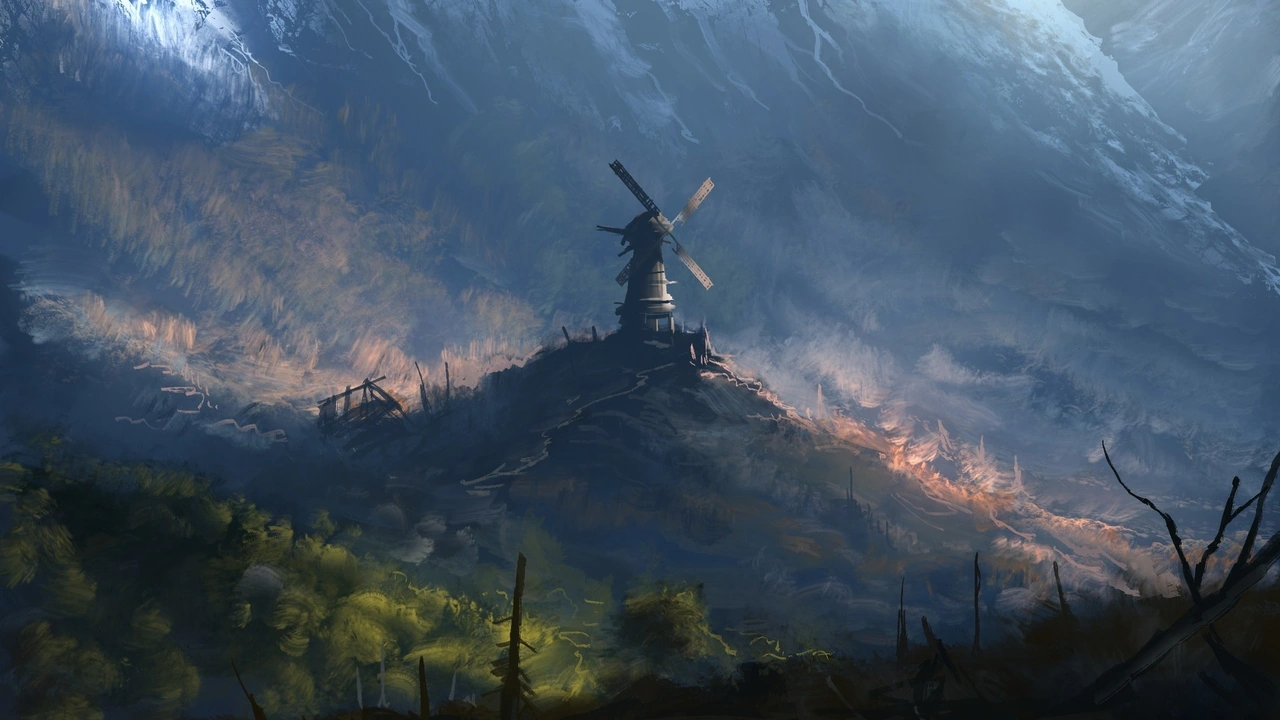
The wallpaper on a fresh install, before you change anything: a painted mountain valley with a windmill on the ridge.
The first wallpaper you get

One line, and it works.

  • A single command: curl the install.sh and you're done. Nothing to clone, no packages to pick by hand, nothing to fix afterwards.
  • It detects your distribution — Arch, NixOS, openSUSE, Fedora, Debian, Ubuntu, or Alpine —, checks for sudo authentication and network connectivity before touching anything.
  • --preview runs the whole script through without executing a single line.
  • --resume picks up an interrupted install: finished steps are skipped, and configs that already match the repo are left alone instead of being backed up and overwritten.
  • The log goes to a file and it says where, so a failure isn't lost in the terminal.
curl -fsSL https://raw.githubusercontent.com/rhythmcreative/hyprland/main/install.sh | bash

Every flag

-y--yesAssume yes to all prompts (unattended mode)
--preview--dry-runSimulate installation workflow without system changes
--no-rebootDo not prompt or execute reboot upon completion
--minimalMinimal desktop core stack only (skip optional applications)
--wallpapersWallpaper download mode: all, random, none
--skip-wallpapersSkip downloading wallpaper packs
--gpuGPU driver stack: nvidia, amd, intel, auto, none
--skip-gpuSkip GPU driver detection and setup
--skip-rust-dockSkip building rust-dock from source
--skip-flatpaksSkip Flatpak package installation
--skip-appsSkip optional application selection menu
--sddmSet SDDM (Astronaut theme) as default display manager
--no-sddm--skip-sddmKeep existing display manager without setting SDDM
--replace-configs-allDirectly overwrite existing configs without .bak backups
--resumeContinue an interrupted install: steps already done are skipped, and configs that are already identical to the repo are left alone instead of being backed up and overwritten
-h--helpShow this help message and exit

16 flags, read from install.sh --help. The README only lists 12 of them.
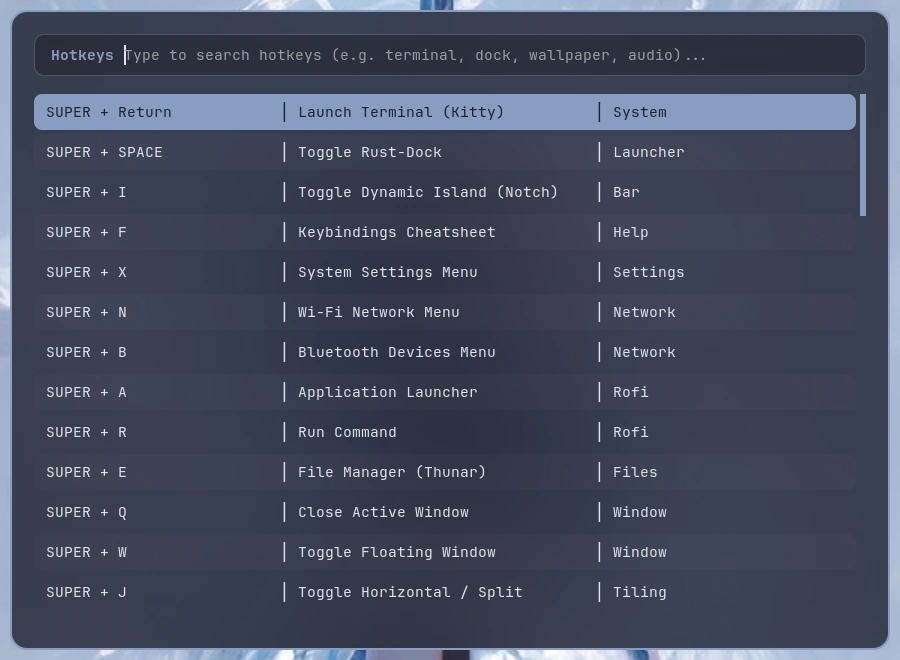
The hotkey browser, open over the desktop, with every shortcut in the config listed and searchable.
The hotkey browser
General29
SUPER+ReturnOpen a terminal
SUPER+spaceShow or hide the dock
SUPER+IFold or unfold the island
SUPER+FSearch every shortcut on the system
SUPER+XOpen the control centre
SUPER+NConnect to a network
SUPER+BPair or forget a device
SUPER+VOpen the clipboard history
SUPER+SHIFT+NOpen the notification centre
SUPER+QClose the focused window
SUPER+MLeave the session
SUPER+EOpen the file manager
SUPER+WFloat or tile the focused window
SUPER+AOpen the launcher, styled for the screen it is on
SUPER+TabToggle macOS-style Spaces overview in the Dynamic Island
SUPER+ALT+TabSwitch windows with the launcher
SUPER+JSplit the window in half
ALT+ReturnFullscreen
SUPER+LLock the screen
SUPER+GSwitch GPU power profile (Dedicated, Integrated, Hybrid)
SUPER+SHIFT+GTurn animations and blur down for gaming
SUPER+HToggle Corner Dynamic Island System Monitor
SUPER+BackSpaceShut down, reboot or sleep
SUPER+XF86BackRecolour everything from the current wallpaper
SUPER+PriorRecolour everything from the current wallpaper
SUPER+SHIFT+WPick a wallpaper
SUPER+CONTROL+WPick a wallpaper
SUPER+ALT+WPick a random wallpaper
SUPER+SHIFT+BPick a random wallpaper
Screenshot3
SUPER+PScreenshot of a part of the screen: drag out the area with the mouse and it opens in the editor. There is no full-screen one
SUPER+SHIFT+PPick a colour off the screen and copy its hex
SUPER+SHIFT+PrintScreenshot of a part of the screen: drag out the area with the mouse and it opens in the editor. There is no full-screen one
Focus4
SUPER+leftMove focus to the window on the left
SUPER+rightMove focus to the window on the right
SUPER+upMove focus to the window above
SUPER+downMove focus to the window below
Workspaces20
SUPER+1Go to workspace 1
SUPER+2Go to workspace 2
SUPER+3Go to workspace 3
SUPER+4Go to workspace 4
SUPER+5Go to workspace 5
SUPER+6Go to workspace 6
SUPER+7Go to workspace 7
SUPER+8Go to workspace 8
SUPER+9Go to workspace 9
SUPER+0Go to workspace 0
SUPER+SHIFT+1Send the window to workspace 1
SUPER+SHIFT+2Send the window to workspace 2
SUPER+SHIFT+3Send the window to workspace 3
SUPER+SHIFT+4Send the window to workspace 4
SUPER+SHIFT+5Send the window to workspace 5
SUPER+SHIFT+6Send the window to workspace 6
SUPER+SHIFT+7Send the window to workspace 7
SUPER+SHIFT+8Send the window to workspace 8
SUPER+SHIFT+9Send the window to workspace 9
SUPER+SHIFT+0Send the window to workspace 0
Special workspace2
SUPER+SOpen the scratchpad
SUPER+SHIFT+SSend the window to the scratchpad
Scroll workspaces2
SUPER+mouse_downNext workspace, on the wheelmouse
SUPER+mouse_upPrevious workspace, on the wheelmouse
Mouse2
SUPER+left buttonDrag the window aroundmouse
SUPER+right buttonDrag the window's edge to resize itmouse
Volume & brightness6
XF86AudioRaiseVolumeVolume up, in stepslocked
XF86AudioLowerVolumeVolume down, in stepslocked
XF86AudioMuteMutelocked
XF86AudioMicMuteMute the microphonelocked
XF86MonBrightnessUpBrighterlocked
XF86MonBrightnessDownDimmerlocked
Media4
XF86AudioNextNext tracklocked
XF86AudioPausePlay or pauselocked
XF86AudioPlayPlay or pauselocked
XF86AudioPrevPrevious tracklocked
Misc7
SUPER+F10Turn Bluetooth on or off
SUPER+KSwitch the keyboard layout
SUPER+ALT+KSend the screen to a TV or another monitor
XF86KbdBrightnessDownDim the keyboard
XF86KbdBrightnessUpBrighten the keyboard
SUPER+ZSwitch the power profile
SUPER+CONTROL+DSilence notifications, keep the historylocked

79 keybindings, parsed from hyprland.lua on v0.29-2-g777e9ec. Read from the repository, not from a running compositor, so this is the list a fresh install gets.
3

What's installed

hyprlandper-monitoreDP + DP
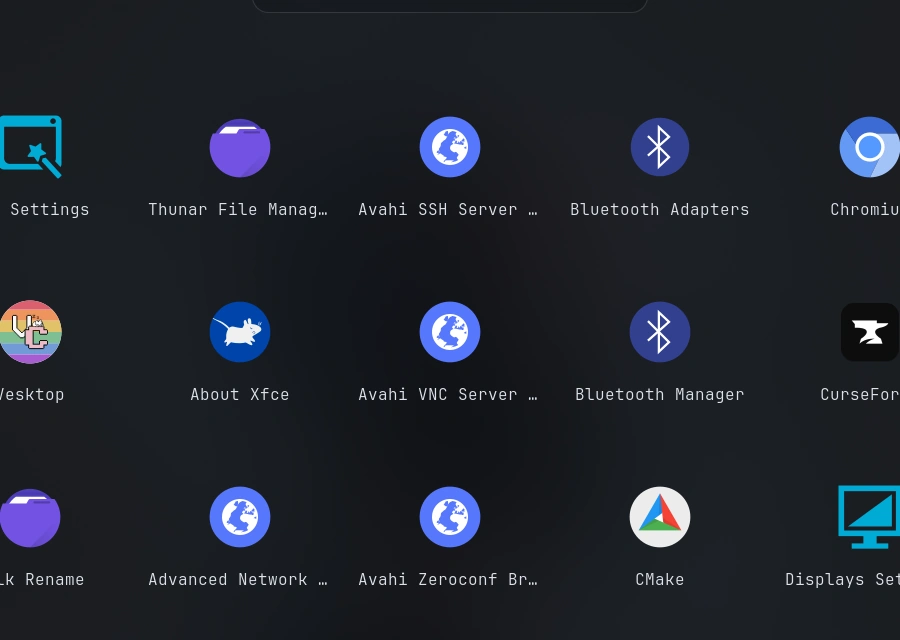
The application launcher as a grid of icons: the file manager, the network tools, bluetooth, and the browsers, side by side.
The launcher
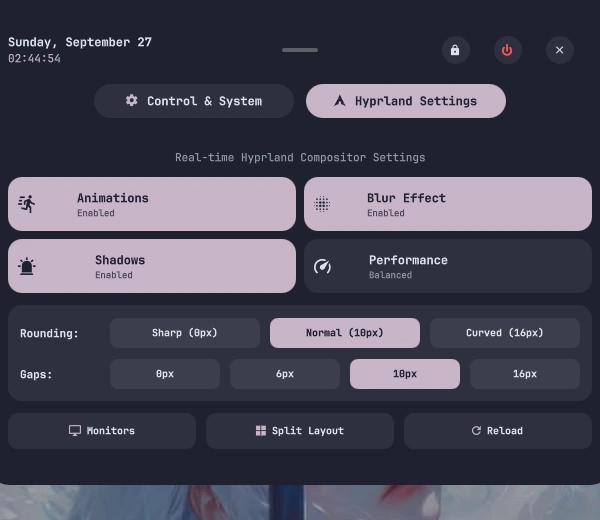
The compositor settings, live: animations, blur, shadows, performance, corner rounding and gaps, plus the monitor layout. These are the knobs that decide how a window looks.
The compositor settings
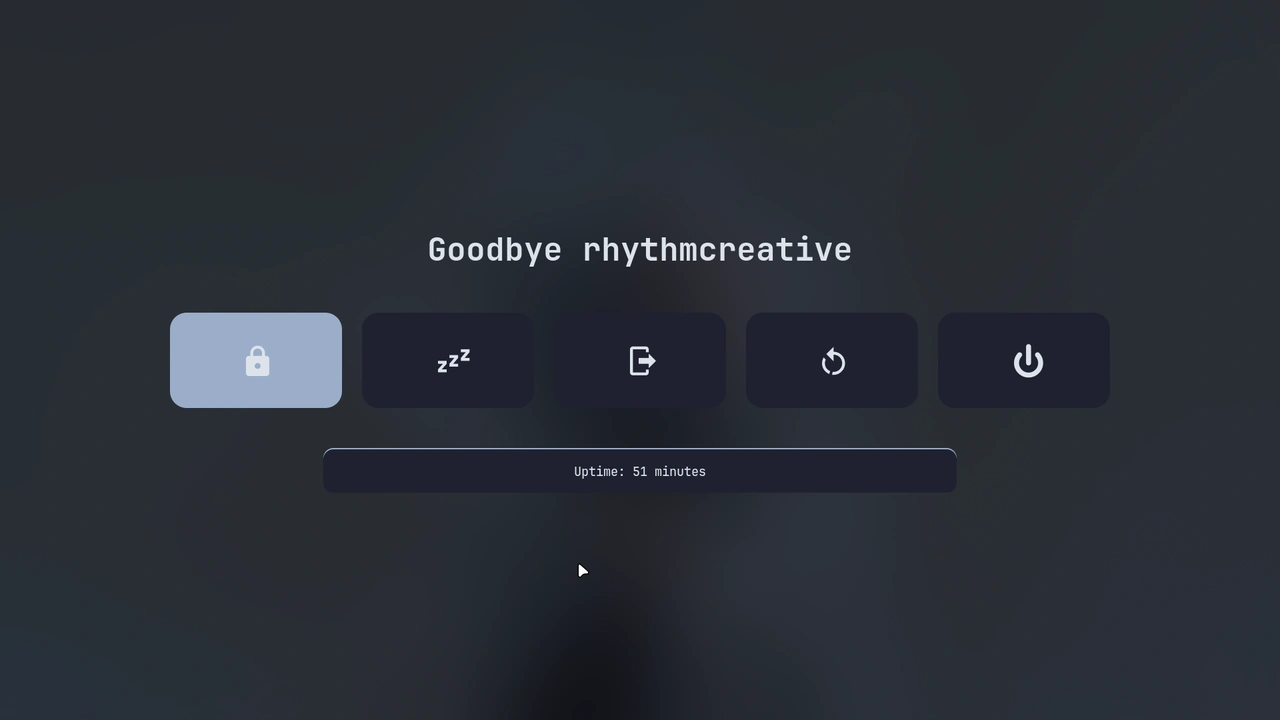
The power menu: lock, suspend, log out, restart or shut down, with a countdown underneath before it acts on any of them.
The power menu

Two panels, and the login screen only on one of them.

  • The machine has two: the built-in panel and an external one over DP. Each carries its own name, resolution and scale in the compositor's configuration, and the built-in one is the primary.
  • That is why the login screen only ever appears on the internal panel: the external one is not a login target. It is a screen, not a door.
  • The wallpaper daemon needs to know which one it is painting, and it reads that from the environment. If the variable is missing it falls back to wayland-0, finds nothing there, and paints zero screens without saying anything. It is the quietest failure in the whole setup.
Compositor
Hyprland with official plugins
Dynamic island
Quickshell (Qt6 QML with IPC)
Dock
Rust-Dock (GTK4 + gtk4-layer-shell)
Status bar
Waybar with Pywal colors
Terminal
Kitty
Shell
Zsh with syntax highlighting and autosuggestions
Launcher
Rofi with Pywal themes
Lockscreen
Hyprlock + Hypridle
File manager
Thunar + Plugins & Tumbler
Theming
Pywal (System-wide dynamic color synchronization)
Wallpaper engine
awww for static plus mpvpaper for animated gif, webp and mp4
System CLI
rhythm unified command with 11 groups
Updates
OTA updater with migrations and pre-update snapshots
Audio
Pipewire + Wireplumber
Display manager
SDDM astronaut theme with Pywal hook
AUR helper
yay

16 components, read from the README.

4

The island

quickshellqmlspacescaptive portaltelemetry
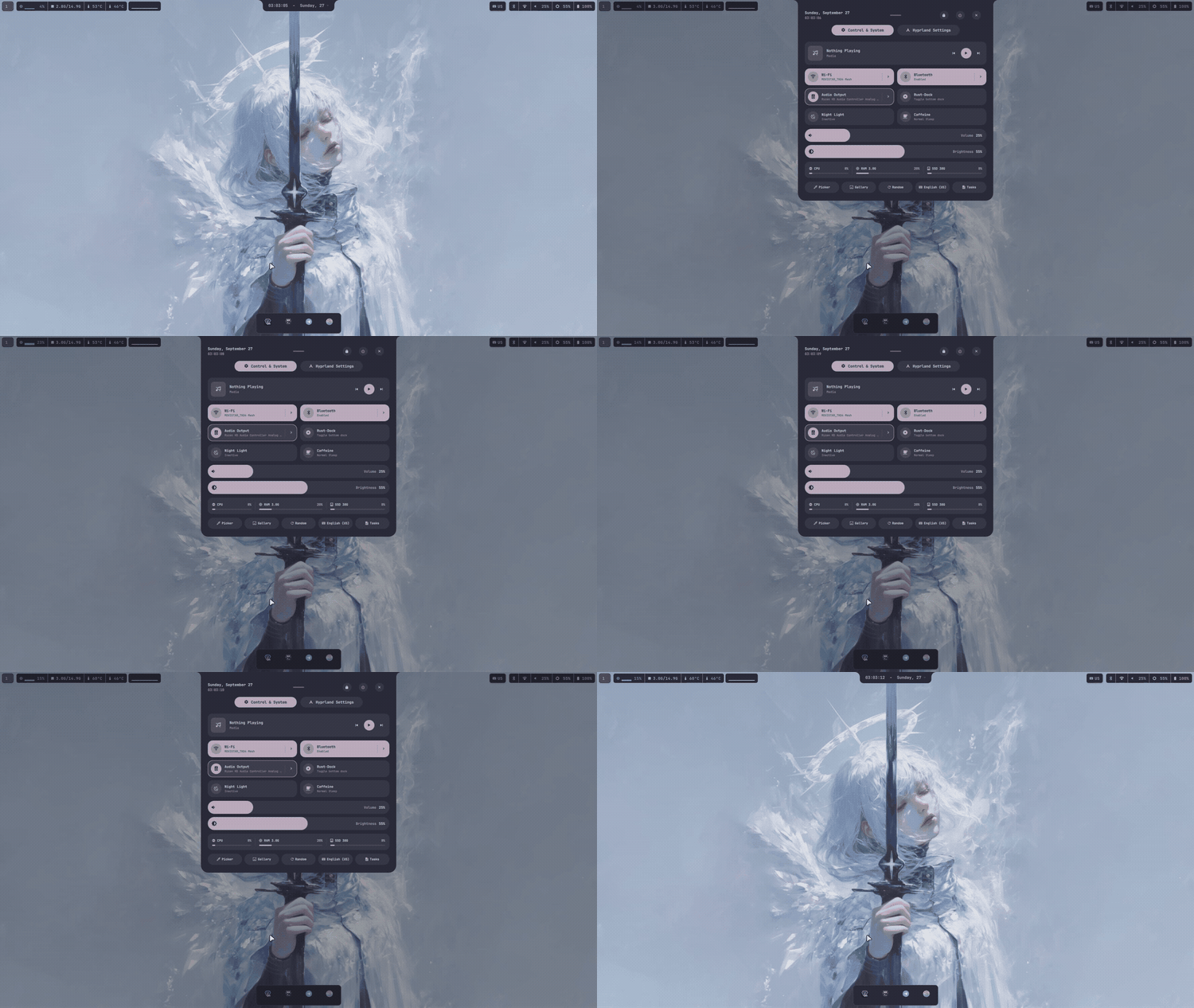
The island folded down to a clock at the top edge of the screen, opening and closing on its own.
Folding by itself
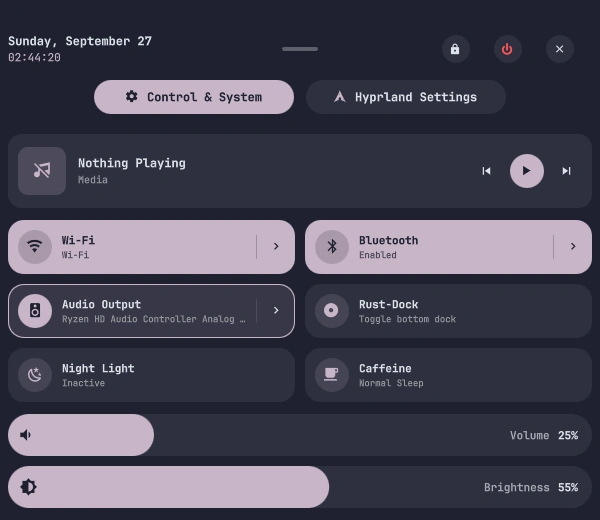
The island open over the desktop, with every plugin on the machine: media, wifi, bluetooth, audio output, the dock, night light, caffeine, volume and brightness.
The island, open

The strip on the top edge. Quickshell, and every part of it is a plugin.

  • The strip that sits against the top edge of the screen. It folds down to 34 px and opens when it has something to show: a track changing, a network going down, or a notification arriving. Reaching the edge with the mouse brings it out as well.
  • Spaces overview: macOS Mission Control-style desktop switcher with live double-buffered workspace previews, running app chips, and interactive navigation.
  • Corner System Monitor: real-time hardware telemetry and htop metrics with concave spring-physics wings, multi-core CPU sparklines, and GPU profile switching.
  • Public Wi-Fi captive portal: automatic network connectivity probing that detects captive portals and renders a direct one-click browser login card.
  • Battery diagnostics: multi-battery laptop architecture telemetry (BAT0 + BAT1) with adaptive charging glyphs and real-time health panels.
  • Nothing inside it is privileged. The clock, the launcher, the control centre, and the screen capture tool are all plugins loaded in declarative QML, and any of them can be tweaked without breaking the rest.
  • SUPER + I folds it by hand, which is the quickest way to check whether it is doing something.
5

The dock

rust-dockrustgtk430 fps
The dock along the bottom edge, with the running applications as icons.
The dock

The strip along the bottom edge. Ours, in Rust and GTK4, compiled during the install.
  • A dock in Rust with a GTK4 interface, compiled from source by the installer. There is no package to install and nothing to update afterwards. --skip-rust-dock skips the build if you would rather put something else there.
  • It has two halves. The left one holds the applications you have anchored; the right one fills with whatever else is open. Windows appear and disappear in real time at 30 fps, because the dock asks the compositor instead of guessing.
  • Drag an icon to reorder it. Hover a window for a preview rendered with grim. Clicking focuses, clicking again minimizes.
  • It takes its own options from the command line: position, icon size, padding, spacing, corner radius, opacity, which monitor to appear on, and --smart-view, which keeps it hidden until the cursor reaches the edge.
  • What it does not do: no clock, no tray, no systray, no favourites launcher. The clock is in the bar, and the launcher is SUPER + A. Looking for a panel with all of that in one piece, this is not it.
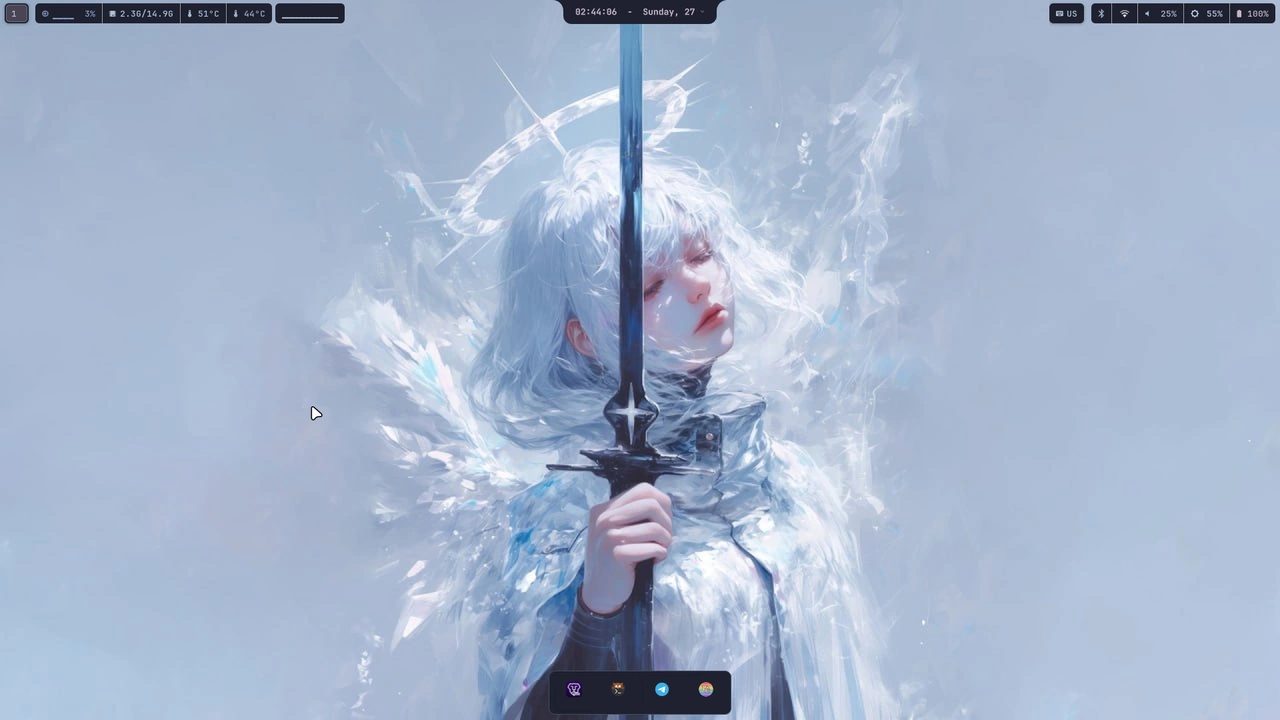
A full screen: the bar at the top, the dock at the bottom, and the island in the middle of the top edge.
The whole desktop
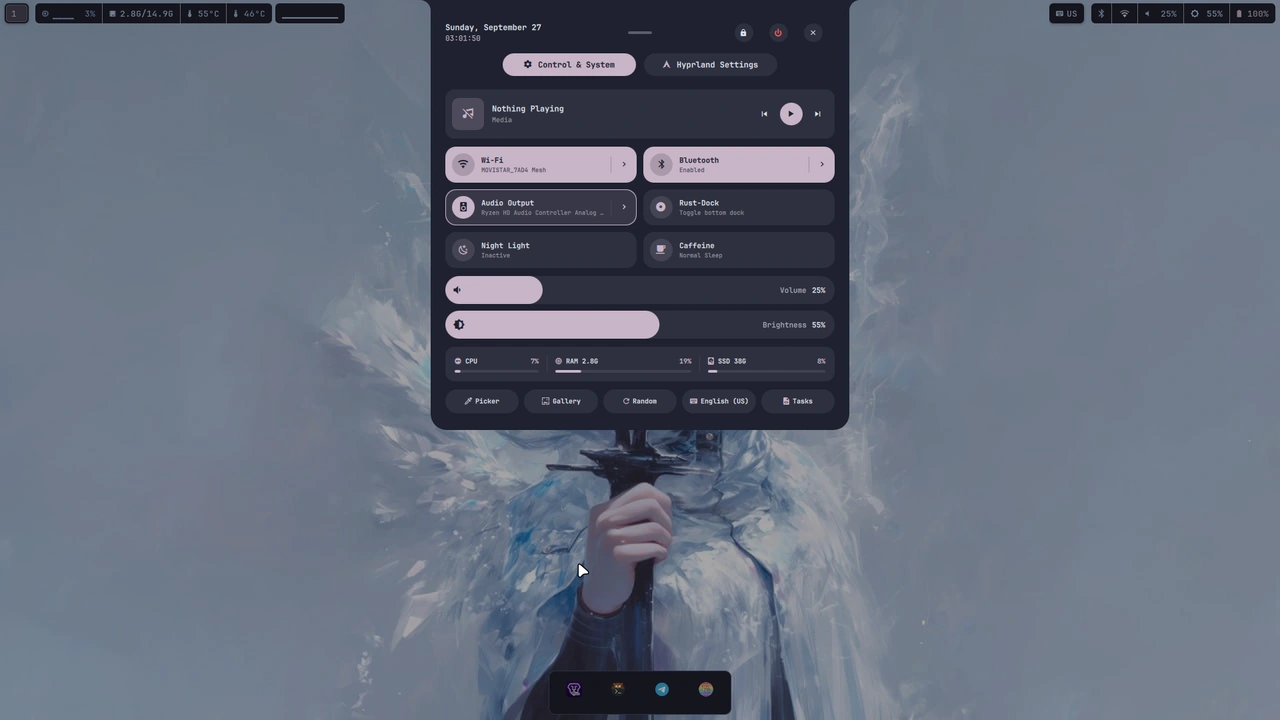
The control centre opened from the bar: media, wifi, bluetooth, audio output, the dock, night light, caffeine, volume and brightness, with the power button at the top right.
The control centre

The status bar at the top of the screen. Powered natively by Quickshell in reactive QML (with legacy Waybar support), styled to match the active Pywal wallpaper palette automatically.

Workspaces & windowsReactive workspace indicators, active workspace pill, and the focused window title.
System monitorsReal-time indicators for multi-core CPU sparklines, memory, temperatures, dual-battery status (BAT0 + BAT1), network, and audio volume.
Dynamic themingReloads colors automatically on wallpaper change without restarting processes or flickering.
Media & TrayNative MPRIS media controls, CAVA audio visualizer, system tray icons, and calendar popover.

Configuration

Quickshell top bar lives in ~/.config/quickshell/waybar-island/ and is built in declarative QML. Legacy Waybar configuration remains available in ~/.config/waybar/.
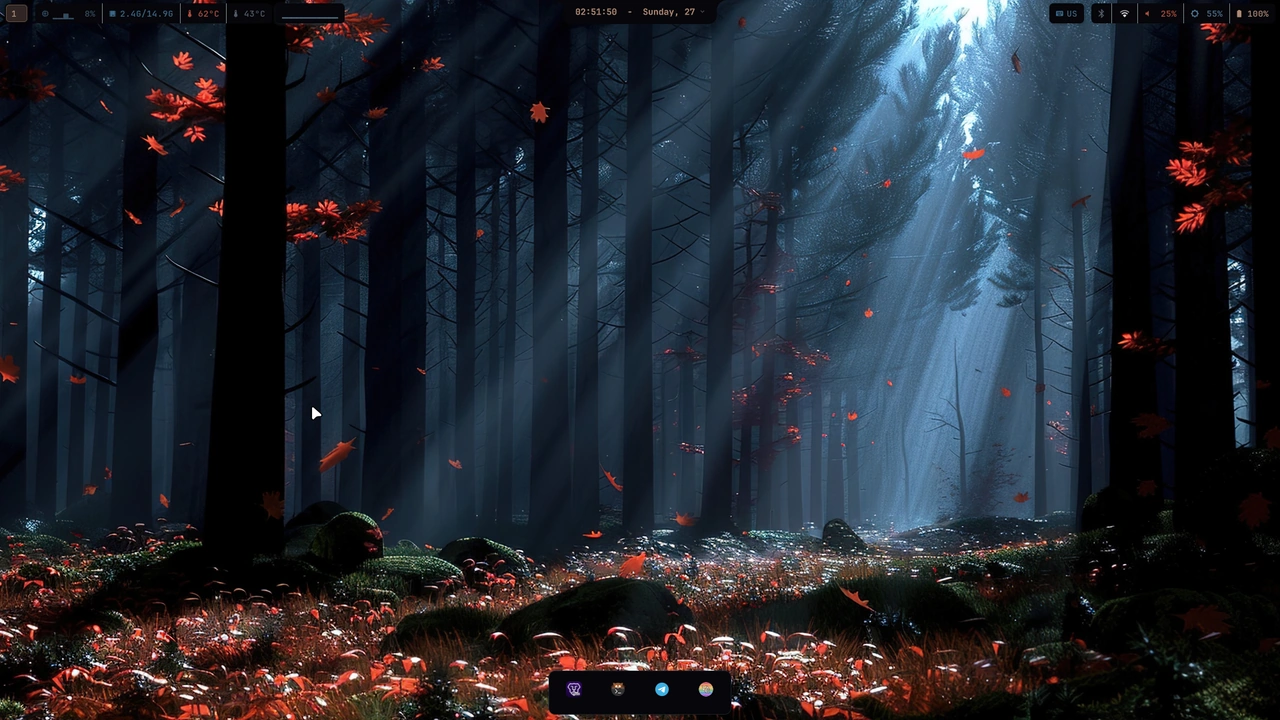
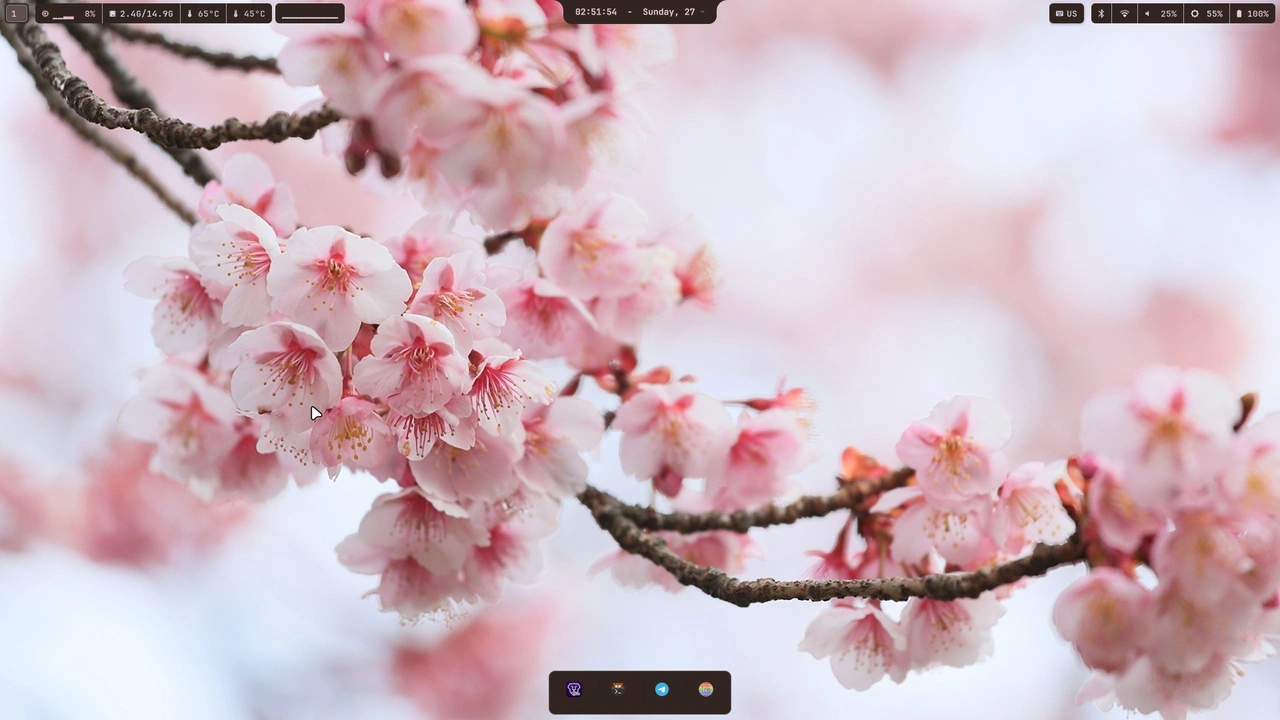
The desktop with the autumn wallpaper, and the whole interface taking its colours from it.
Autumn
The same desktop with the cherry blossom wallpaper.
Cherry blossom
And with the neon one, which is the darkest of the three.
Neon

The wallpaper decides the colours, and everything else follows.

  • Change the wallpaper and pywal writes a new palette from it. The bar, the dock, the launchers, the terminal and the island all recolour themselves. There is no theme picker and no second colour choice to make anywhere.
  • It reaches further than it looks. The terminal colours, the GTK theme behind the dialogs, the cursor and the login screen's own template all come from the same sixteen values. One wallpaper moves all of it.
  • The wallpaper also repairs itself: if a monitor stops being painted, it is repainted within seconds, without asking and without a restart.
  • What it does not do: understand a photograph. pywal samples the image and picks from what it finds, so a wallpaper with three competing colours gives a correct palette that is not always the one you would have chosen.
  • And the fade only runs on the built-in panel. On the external one the wallpaper cuts instead of dissolving, because that screen is driven differently and nobody wired the animation into it.

The palette

Sixteen colours, read out of the wallpaper.
  • pywal turns the wallpaper into a palette of sixteen colours and writes them to ~/.cache/wal/colors.json. The bar, the dock, the launchers, the terminal and the island all read that file instead of carrying colours of their own.
  • The file is rewritten every time the wallpaper changes, so there is nothing to configure and nothing to keep in sync. The installer sets it up once and it looks after itself from then on.
  • What it does not do: choose well on a busy picture. It samples the image and picks, so a wallpaper with three competing colours produces a palette that is correct and not always pretty.
8

The login screen

sddmown themedeployed
The login screen before the session starts, with the same wallpaper as the desktop behind it.
The login screen

SDDM, with its own theme, and only on the built-in panel.

  • A custom theme for SDDM, using the system cursor and the wallpaper you already have, so the screen you log in from is the same picture you get afterwards.
  • The files it needs live in /etc, which is not somewhere a normal user writes, so they are deployed by rhythm-sddm-deploy rather than installed directly. That script is the single source of truth for them: when it runs it rebuilds every file from the repository.
  • pywal rewrites the theme's colours while the machine is running, which is why those files are not versioned. Running the deploy script brings them back to the repository's version; running it twice is harmless.
  • It only comes up on the internal panel. There is no way to log in from the external one, and that is not a setting somebody forgot: the external screen is never a login target.
  • What it does not do: work on a machine with a single panel. The theme assumes the built-in display exists, and on a laptop with the lid closed at boot there is nothing to draw it on.
9

The doctor

rhythm-doctordiagnosticsone command

It says what is broken instead of failing quietly.

  • One command that looks at the whole machine and says what is missing or wrong. Without it a problem shows up three weeks later and nobody knows where it came from.
  • The installer runs it when it finishes, and the update runs it at the end too, so there is nothing to remember and nothing to schedule.
  • It only reads. It does not fix anything, it does not install anything, and it will not touch a file: the fix is printed next to the finding, for you to run.
  • The block below is a real run of it on a machine where nothing is wrong, with the colour codes taken out because they mean nothing on a web page. When something is wrong it fails in the same place, with the command that fixes it underneath.
rhythm-doctor: check (repo: ~/hyprland)   ok    /etc/sddm/Xsetup is up to date  ok    xsetup.conf.disabled is present (X11 stays off, correct)  ok    all deployed units point at real executables  ok    scripts referenced by the units are present  SDDM greeter:    wrapper: correct    template: correct    sddm.conf: correct    login cursor: correct    theme: correct    Xsetup (X11 fallback): correct    cursor theme 'Bibata-Modern-Ice' is installed    OK  ok    battery-limit.conf in ~/.local/state  ok    no local edits in .config/hypr doctor: everything correct.

The installer is not a one-shot script. There is a second half to it: the update, the overlays, and what happens to the files you have edited.

rhythmChecks for a new release, shows what it would do, and asks. It never installs on its own: every update is something you said yes to.
rhythm statusThe same check without changing anything. Current version, latest version, commits behind, pending packages.
--resumeAn interrupted install picks up where it stopped. Steps that already ran are skipped, and configs that already match the repository are left alone instead of being backed up and overwritten.
--previewRuns the whole script through without executing a single line. Useful for seeing what it would touch on a machine you do not want to touch yet.

Your edits survive updates

Updating used to overwrite anything you had edited in ~/.config, leaving a dated .bak beside it. Two trees exist now: the base is re-laid in full on every update, and your edits live in a sparse overlay applied last, so they win without opting out of upstream fixes.

hyprland.luasources <code>user.lua</code> at the end through <code>loadfile</code> inside <code>pcall</code>, so a typo there drops your part and not the desktop
kitty.confglob-includes <code>user.conf</code>
bothgitignored, so they cannot be shipped and clobbered

Real installations tested and verified across every supported Linux distribution. The installer detects your package manager and kernel environment automatically.
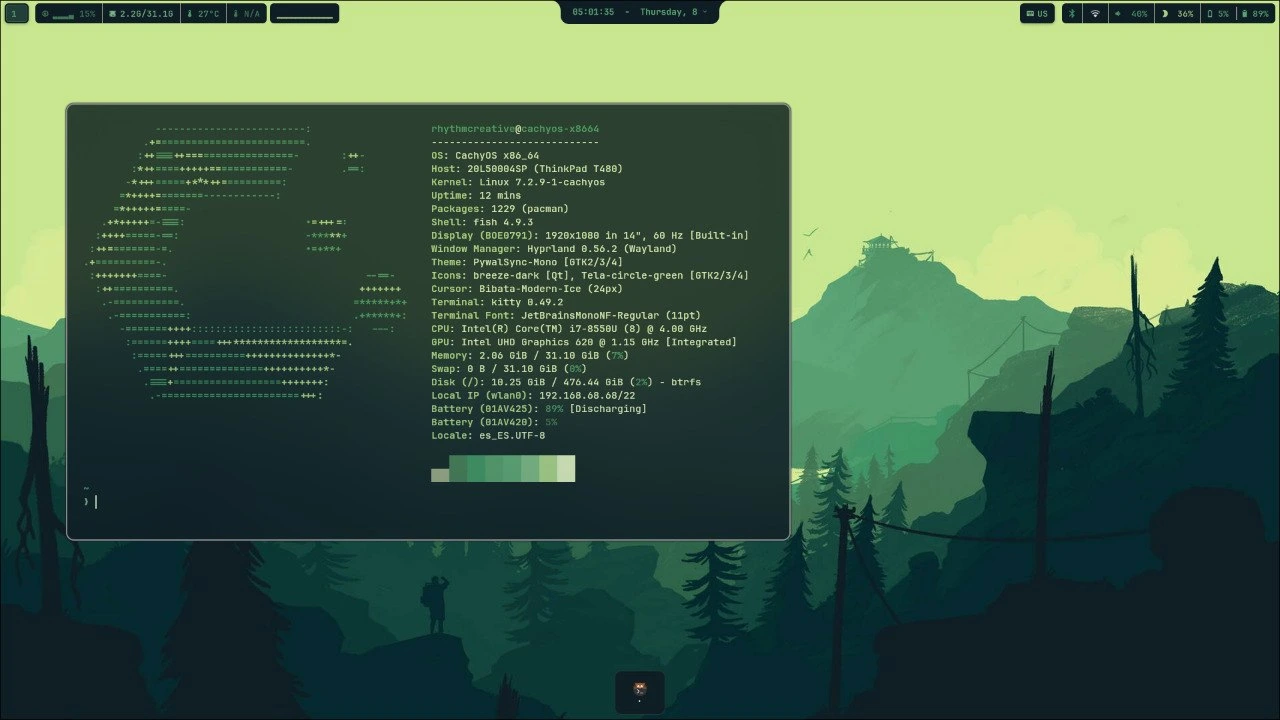
Hyprland running on CachyOS

CachyOS

pacman / paru
Arch-based (Bore / Linux-cachyos kernel)

High-performance Arch derivative with optimized x86-64-v3/v4 binaries. Full hardware acceleration, dynamic Pywal color integration, and native compositor support out of the box.
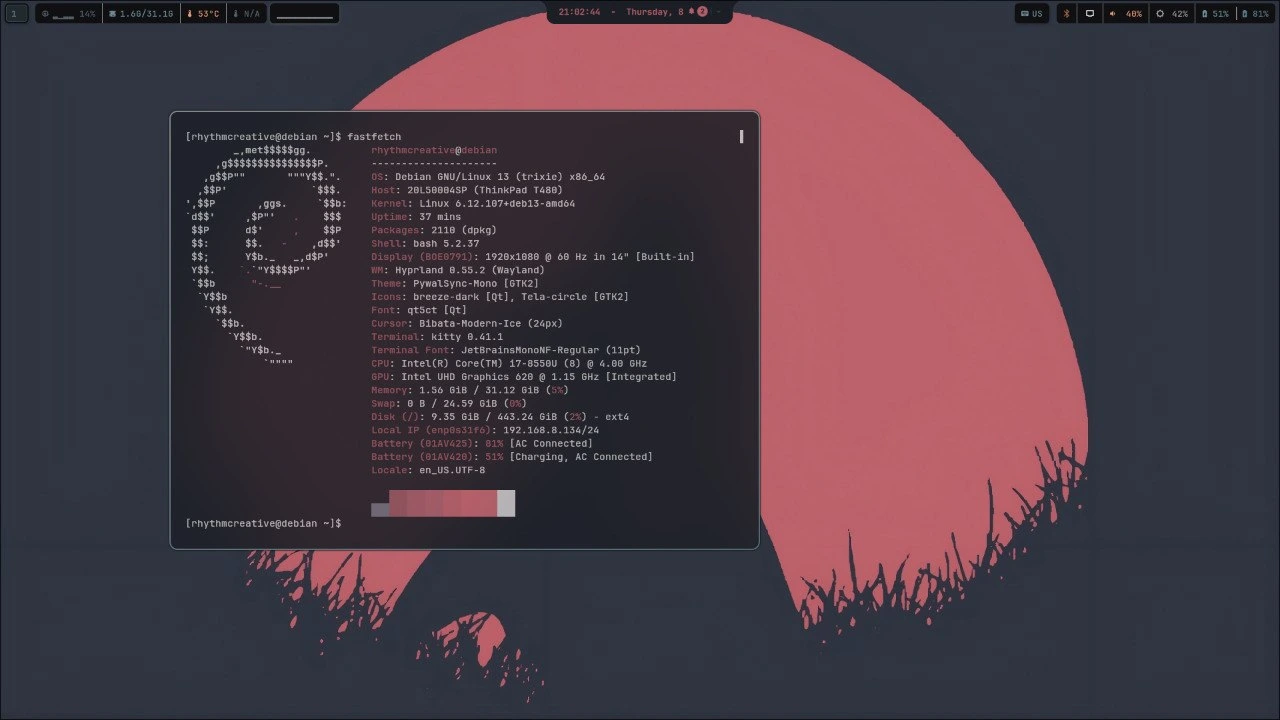
Hyprland running on Debian

Debian

apt
Debian 13 (Trixie) & 12 (Bookworm)

Stable and testing releases supported. Includes targeted QML6 declarative dependencies, PAM configuration, custom Astronaut SDDM session handoff, and Wayland compositor integration.
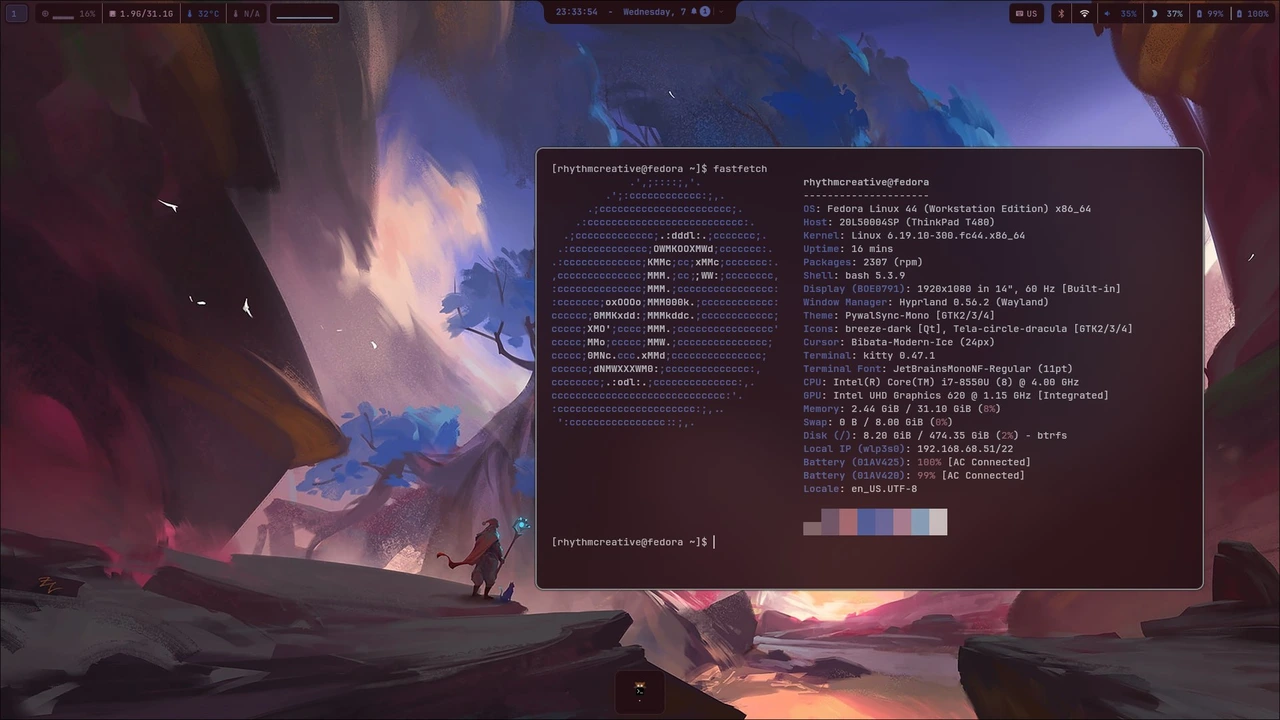
Hyprland running on Fedora

Fedora

dnf
Fedora 40 & 41 (Workstation / Server)

Modern Red Hat base with PipeWire audio, systemd user services, and SELinux-aware wrappers. Waybar, Quickshell, and full font stack installed and themed automatically.
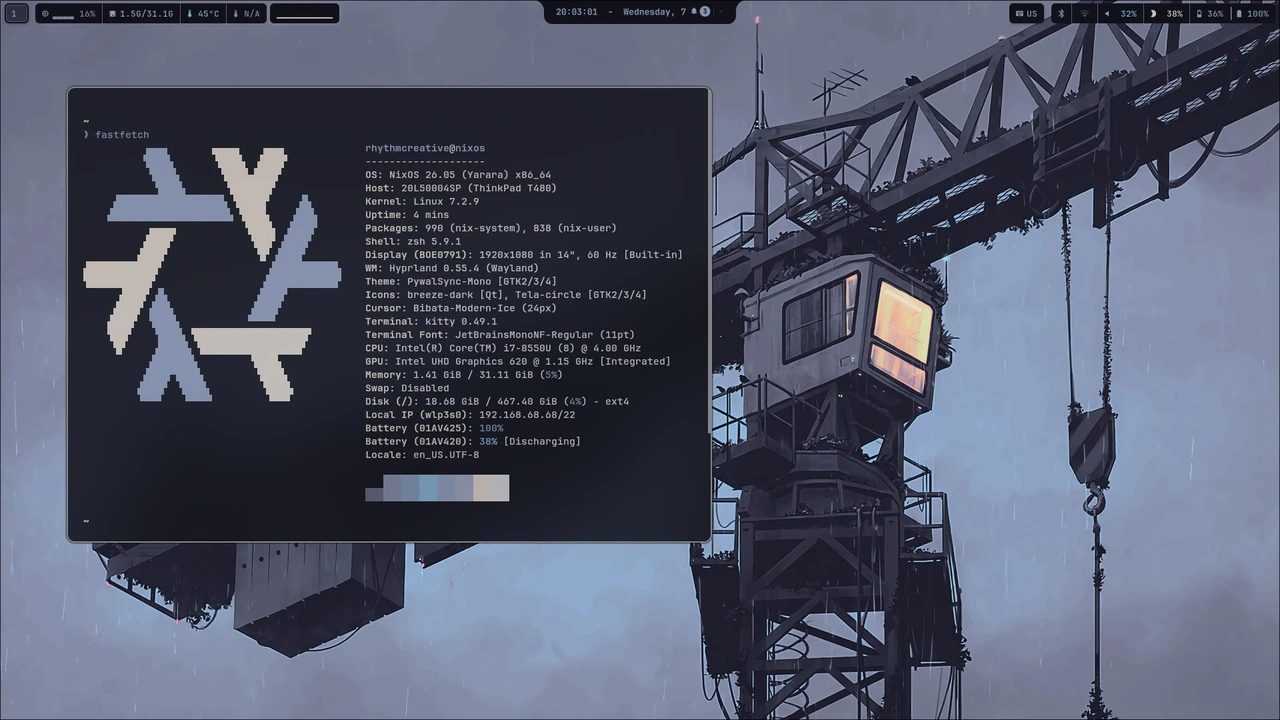
Hyprland running on NixOS

NixOS

nix / flake
NixOS 24.05 & Unstable

Declarative and reproducible installation. Integrates rust-dock placement, standalone quickshell components, Pywal color generation, and complete Wayland environment.
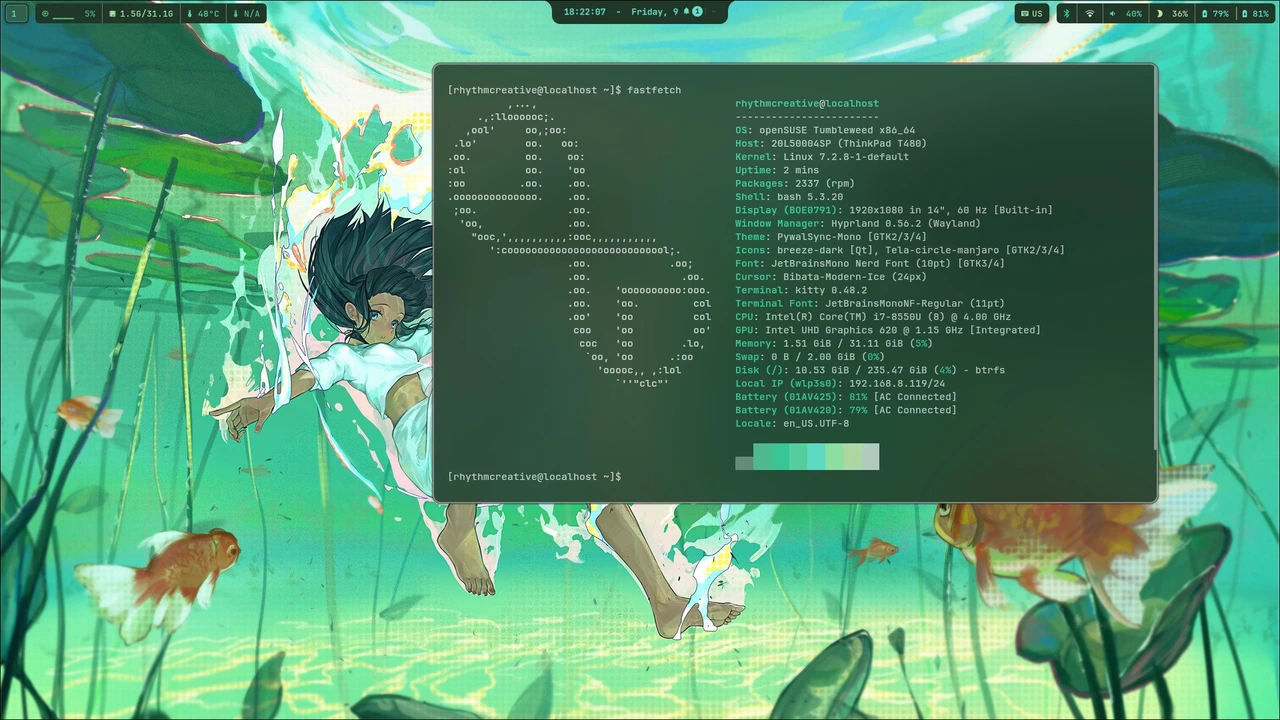
Hyprland running on openSUSE

openSUSE

zypper
Tumbleweed, Slowroll & Leap

Rolling and stable openSUSE branches. Resolves pywal color scheme transitions, colors-rofi-dark integration, SUPER+Shift+W wallpaper toggles, and Waybar monitoring.
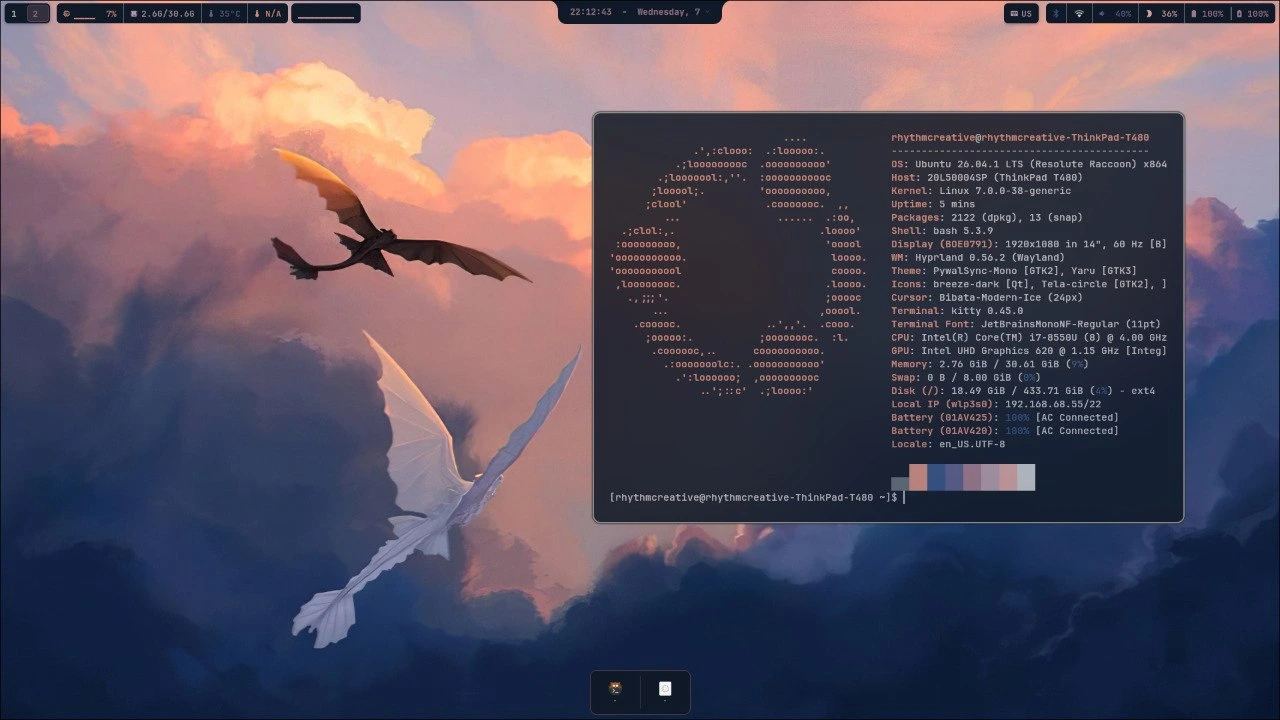
Hyprland running on Ubuntu

Ubuntu

apt
Ubuntu 24.04 LTS & 24.10

Canonical LTS platform support. Handles Wayland compositor dependencies, audio/brightness keybindings, SDDM login screen setup, and cliphist clipboard daemon.

6 distribution families captured and validated with live testing builds.

The repository is mostly a pile of scripts with nothing to compile, which is why installing it takes one command and not a build system. Almost all of it lands in ~/.local/bin, which is already on your PATH, so a script is installed by being copied and made executable.

The files that are not yours are the ones under /etc and /usr: the login screen has to be written as root, so those go in a directory under sddm/ and a deploy script copies them into place. Editing them by hand works until the next update, which puts them back.

~/.local/bin134every helper script, all on PATH
.config/hypr9the compositor config
.config/systemd/user13services started at login
.config/systemd/user3timers: OTA checks, collectors
.config/quickshell15the island, in QML
sddm/54the login screen, installed to /usr and /etc

Counted from the repository, hiding dotfiles and __pycache__. Listing all 134 scripts would be a table nobody reads top to bottom.
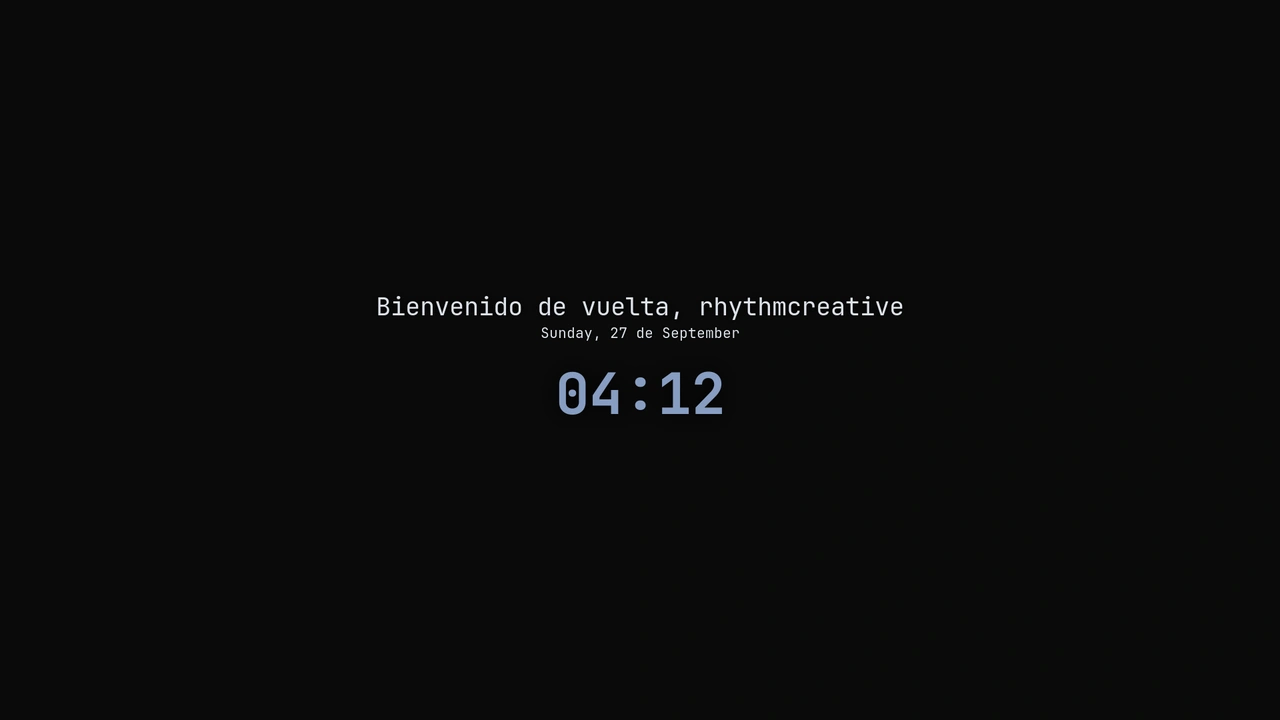
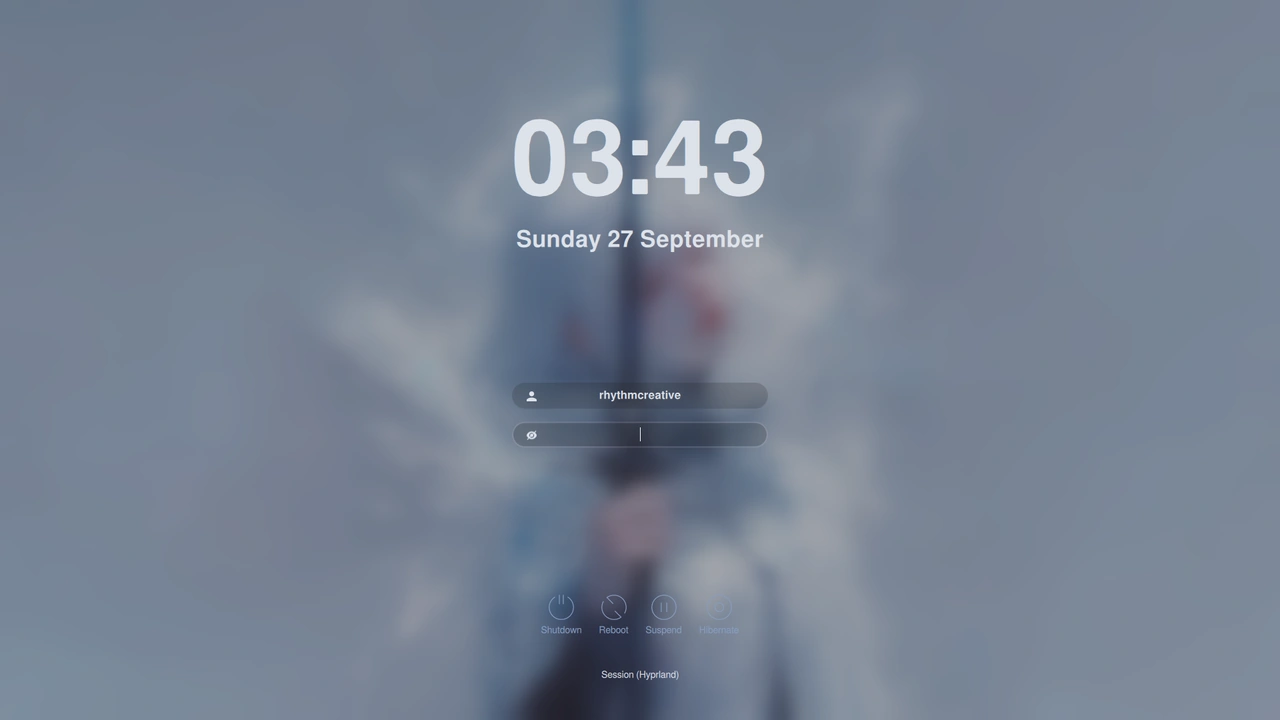
The lock screen, which is what you get instead of the desktop when the session is locked.
The lock screen

Start here before changing anything. Most of what looks broken is one file that drifted, and rhythm-doctor usually says which.

rhythm-doctorLooks at the whole machine and names what is missing or wrong, with the command that fixes it. The installer runs it when it finishes, and the update runs it at the end too.
The wallpaper is not on every screenThe wallpaper daemon needs to know which Wayland socket the compositor is on. If the variable is not set it falls back to <code>wayland-0</code>, finds nothing, and paints zero outputs — silently, and with a log line that says it worked. See <a href="#hyprland/doctor">the doctor</a>.
The login screen does not startOn a hybrid-GPU machine the greeter can fail to start its renderer entirely. If the login screen comes up as a loop of restarts, that is this.
Something looks staleCtrl+Shift+R. The stylesheet is cached and a plain reload may serve the old one.

Where the logs are

~/.local/state/rhythm/the OTA logs, including the doctor output
~/.cache/rhythm-install.logthe installer's own log, which says where it wrote it

An interactive timeline tracking shipped capabilities, our current active status, and planned developments for upcoming releases.

CompletedMilestone 1

First release: Arch Linux & base installer

Initial stable release featuring native Arch Linux support and the automated base installer engine.

Arch LinuxBase installerFirst release
CompletedMilestone 2

Independent multi-monitor & Rofi support

Multi-monitor workspace support with independent display handling and dynamic per-monitor Rofi launcher integration.

Multi-monitorIndependent screensRofi
CompletedMilestone 3

Quickshell implementation

Native integration of Quickshell in QML, bringing the top dynamic island, reactive media controls, and status widgets.

QuickshellQMLDynamic island
CompletedMilestone 4

Release v0.25 & multi-distro verification

Tested across all 6 active distribution families with live testing builds, instant scroll restoration, and comprehensive manual docs.

Release v0.25Multi-distroVerified builds
CompletedMilestone 5

Replace Waybar with Quickshell (v0.27)

Migrated the status bar entirely to Quickshell in native QML, merging the top island and bar into a single reactive, unified framework with multi-core sparklines.

QuickshellNative QMLUnified bar & island
CompletedMilestone 6

Dynamic Island Spaces & Corner System Monitor (v0.28)

macOS-inspired Spaces overview with live double-buffered previews, tactile Corner System Monitor with spring physics, and GPU profile switching.

Spaces overviewCorner monitorGPU profiles
Current statusMilestone 7

Release v0.29 & Public Wi-Fi Captive Portal & Dual-Battery Telemetry

Current verified milestone. Public Wi-Fi captive portal auto-detection with browser authorization card, dual-battery architecture support & diagnostics panel, lower-spec hardware performance optimizations, and unified multi-keyboard layout switching.

Release v0.29Captive portalDual-batteryPerformance
PlannedMilestone 8

Full tablet & touchscreen support

Complete touch and tablet experience: touch gestures, on-screen keyboard (wvkbd), auto-rotation sensor integration (iio-sensor-proxy), and 44px touch targets.

TabletswvkbdAuto-rotateTouch gestures
PlannedMilestone 9

Niri window manager support

Native integration for the Niri scrollable-tiling Wayland compositor alongside Hyprland, sharing the same Pywal palette, Quickshell island, and configs.

NiriScrollable tilingWayland compositor
PlannedMilestone 10

Complete standalone Live ISO

Full standalone bootable Live ISO ready to download, test in live session, and install out-of-the-box without requiring a pre-existing Linux install.

Live ISOBootable imageOffline installer

Scroll through the roadmap to trace completed milestones up to the current release and into future planned features.